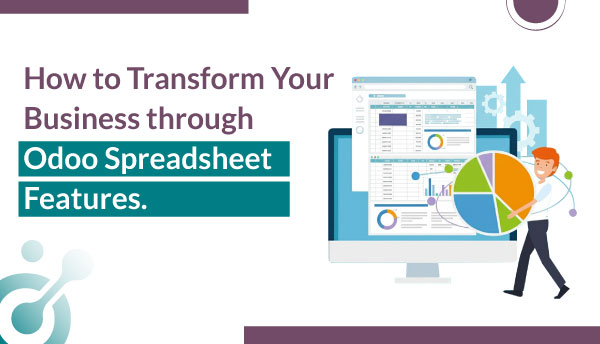
Modern businesses demand real-time insights, seamless automation, and data-driven decision-making capabilities. As someone who has implemented Odoo across dozens of enterprises, I’ve witnessed firsthand how the Odoo spreadsheet features revolutionize how teams analyze data, generate reports, and drive business growth. The Odoo 19 spreadsheet brings unprecedented power to business analytics, combining the familiarity of Excel with the integrated strength of a complete ERP system.
Why Odoo Spreadsheet and Dashboards Matter for Business?
Traditional spreadsheet tools like Google Sheets exist in isolation, disconnected from your core business systems. I’ve seen finance teams manually export data from inventory management, import into spreadsheets, reconcile figures, and repeat this tedious cycle daily. This approach wastes valuable hours and introduces human error at every step.
Odoo fundamentally changes this paradigm. The platform connects Sales, Inventory, Accounting, HR, and CRM modules through intelligent spreadsheets that pull live data automatically. When your sales team closes a deal, finance sees updated revenue projections instantly. When warehouse staff adjust inventory levels, operations managers view real-time stock analytics without lifting a finger.
For businesses in India navigating complex GST compliance requirements, this integration proves invaluable. The India GST Odoo functionality works seamlessly with spreadsheet features, automatically calculating tax obligations and generating compliance reports that save countless hours during filing season.
How does Spreadsheet in Odoo combine Excel ease with ERP power?
Odoo Spreadsheet delivers the familiar interface and intuitive formulas users love in Excel but supercharged with real-time access to live ERP data. No more manual exports, copy-pasting, or version conflicts. Create, edit, and analyze financial statements, inventory reports, or sales forecasts directly inside Odoo, with every cell dynamically linked to your business records. This fusion of spreadsheet flexibility and ERP integrity eliminates data silos while preserving the agility teams expect from spreadsheets.
Native Spreadsheet Interface with Live Data Integration
The Odoo 19 spreadsheet delivers a familiar Excel-like interface that requires zero learning curve for your team. I’ve onboarded finance professionals who started creating pivot tables and formulas within minutes of their first login. The interface includes standard features cell formatting, conditional formatting, freezing panes, and formula autocomplete that make seasoned spreadsheet users feel immediately at home.
What sets Odoo apart is the live data integration. Unlike Google Sheets or Excel exports that create static snapshots, Odoo spreadsheets maintain dynamic, real-time connections to your live database. When a customer payment clears, your cash flow dashboard updates automatically. When production completes a batch, your inventory spreadsheet reflects the change instantly, no manual refreshes or error-prone copy-pasting.
Unified Business Reporting Across Modules
Consider a typical month-end reporting scenario. Previously, you’d pull sales reports from your CRM, expense data from accounting software, and inventory valuations from warehouse systems then endure the manual consolidation nightmare: matching formats, reconciling discrepancies, and troubleshooting broken formulas.
With Odoo’s integrated spreadsheet features, I create unified, real-time dashboards that pull live data from multiple modules simultaneously. A single spreadsheet can display:
1. Monthly revenue by product line (from Sales).
2. Cost of goods sold (from Inventory and Accounting).
3. Gross margin calculations (via automated formulas).
4. Outstanding receivables (from Invoicing).
5. Cash position (from Bank Reconciliation).
This holistic, always-up-to-date view empowers business leaders to make faster, data-driven decisions with full confidence in accuracy and completeness.
As part of our Odoo Integration Services, we ensure seamless connectivity between your spreadsheets, core Odoo modules, and external systems—transforming fragmented workflows into a single source of truth that drives efficiency, transparency, and growth.
Chart Types for Deeper Business Analytics in Odoo Spreadsheet
Go beyond basic bar and pie charts. Odoo Spreadsheet supports pivot tables, conditional formatting, and dynamic chart types including scatter plots, waterfall charts, and trend lines that update automatically as your underlying data changes. Visualize customer lifetime value, warehouse turnover rates, or margin trends by product category—all without leaving the spreadsheet interface or writing a single line of code.
Visualizing Complex Data with New Chart Options
The latest Odoo 19 spreadsheet introduces five powerful chart types that transform raw numbers into actionable insights:
1. Treemap Charts excel at displaying hierarchical data with size representing value. I recently helped a retail chain visualize their product category performance. The treemap instantly revealed that while electronics occupied just 15% of shelf space, it generated 40% of revenue leading to a strategic inventory reallocation that increased profits by 12%.
2. Sunburst Charts provide multi-level hierarchical visualization, perfect for organizational structures or nested budget categories. Finance professionals use these to display departmental spending broken down by category, sub-category, and line item all in one interactive visual.
3. Spider and Radar Charts compare multiple variables across different entities. Sales managers track team performance across key metrics (conversion rate, average deal size, customer satisfaction, response time) in a single glance. The filled area variant makes it especially easy to spot underperforming dimensions.
4. Map Charts bring geographic data to life. Operations managers visualize sales by region, delivery performance by zone, or warehouse distribution across territories. For India-focused businesses, these maps highlight state-wise GST collection, regional sales penetration, and distribution efficiency.
How can you do Smarter Calculations Using Odoo Spreadsheet Formulas?
Odoo Spreadsheet elevates traditional spreadsheet logic with intelligent, ERP-aware formulas that go far beyond basic arithmetic. Instead of hardcoding values or relying on fragile cell references, users can now write dynamic expressions that tap directly into live business data—enabling real-time insights without manual updates or external integrations.
ODOO.LIST: Extract Nested Relational Data
Traditional spreadsheets struggle with relational data. The new ODOO.LIST formula changes everything. This powerful function extracts data from related records, enabling complex analyses that previously required custom programming.
Here’s how it works in practice:
=ODOO.LIST(“sale.order”, “order_line.product_id.name”, [[“state”, “=”, “sale”]])
This formula retrieves all product names from confirmed sales orders. You can nest multiple relationships, apply filters, and aggregate results all within a single formula. I’ve built sales performance dashboards that analyze product profitability across customer segments, regions, and time periods using nothing but ODOO.LIST formulas.
ODOO.SURVEY: Dynamic Survey Data Analysis
Customer feedback drives business improvement, but analyzing survey responses traditionally requires exporting to external tools. The =ODOO.SURVEY formula integrates survey responses directly into your analytical spreadsheets.
Marketing teams use this to track:
– Net Promoter Score trends over time
– Customer satisfaction by product line
– Feature request frequencies
– Service quality ratings by support agent
One SaaS company I advised implemented ODOO.SURVEY formulas to create a real-time customer health dashboard. When satisfaction scores dropped below threshold levels, the system automatically triggered follow-up workflows reducing churn by 23%.
Real-Time Calculations Drive Faster Decisions
Every formula in Odoo spreadsheets recalculates automatically when underlying data changes. Your financial projections update the moment a new sales order is confirmed. Your inventory valuation adjusts instantly when purchase orders arrive. This real-time capability eliminates the “is this data current?” question that plagues traditional reporting.
For small business owners juggling multiple responsibilities, this automation proves transformative. You don’t need to remember to refresh reports or worry about making decisions on stale data. The information you see is always current, always accurate.
Which filtering and slicing features are available in Advanced Odoo Spreadsheet?
Effortlessly explore large datasets using interactive slicers, drill-down filters, and cross-sheet references. Filter by date ranges, sales teams, product categories, or custom attributes—then instantly pivot your view to uncover hidden patterns. Unlike static Excel files, these filters operate on live Odoo data, ensuring decisions are always based on the most current information.
Advanced Filtering for Tailored Insights
The enhanced filtering capabilities in Odoo 19 spreadsheet rival specialized business intelligence tools. Smart search understands natural language type “high-value customers in Q4” and watches the system filter accordingly. Natural grouping automatically organizes data by logical categories without manual configuration.
Date filters deserve special attention. New period presets include:
– This Week/Month/Quarter/Year
– Last Week/Month/Quarter/Year
– Custom date ranges
– Rolling periods (Last 30/60/90 days)
– Year-over-year comparisons
These presets eliminate the formula gymnastics required for time-based analysis. A finance professional can compare this quarter’s performance versus last year’s same quarter with two clicks instead of building complex date calculations.
Global and Text Filters for Dashboard Customization
Global filters transform static spreadsheets into interactive dashboards. Set a filter for “Product Category” and watch every chart, pivot table, and metric update simultaneously. This approach enables executive dashboards where leaders explore data from multiple angles without technical assistance.
Text filters accepting multi-value input prove especially powerful. Sales directors can select multiple sales representatives, filter by several product categories, and choose specific customer segments all at once. The spreadsheet recalculates instantly, providing precisely the analysis needed.
Real-World Application: Inventory Optimization
An Odoo implementation partner I collaborated with helped a manufacturer struggling with inventory carrying costs. We built a spreadsheet using advanced filters that enabled operations managers to:
1. Filter products by turnover rate (fast, medium, slow-moving)
2. Slice by warehouse location
3. Apply date filters to identify seasonal patterns
4. Use text filters to focus on specific suppliers
The analysis revealed that 30% of their inventory generated just 5% of revenue. Armed with these insights, they implemented minimum order quantities, renegotiated supplier terms, and reduced working capital tied up in inventory by ₹2.3 crores.
How Can You Enhance Productivity and Collaboration with Odoo Spreadsheet?
Multiple users can edit the same spreadsheet simultaneously with full version history, change tracking, and role-based permissions. Comments, @mentions, and real-time syncing eliminate email chains and reduce reconciliation work. Everyone works from a single source of truth—boosting speed, accuracy, and accountability.
Multi-Panel Interface for Power Users
Odoo 19 introduces the ability to pin side panels and display two simultaneously This seemingly simple feature dramatically boosts productivity. Data analysts work with the filter panel open on the left while configuring chart options on the right no more toggling between views and losing context.
I’ve watched financial controllers reconcile accounts 40% faster by displaying transaction details in one panel while referencing bank statements in another. The multi-panel approach reduces cognitive load and streamlines complex workflows.
Dynamic Pivot Table Controls
Pivot tables form the backbone of business analytics, and Odoo’s implementation excels. The new collapse and expand row/column functionality enables dynamic views. Start with a high-level summary, then drill down into specifics without creating multiple reports.
For example, view total sales by region (collapsed view), then expand Maharashtra to see city-level details, and drill further into individual sales representatives. This hierarchical exploration helps business managers understand not just what happened, but why it happened.
Mobile-First Spreadsheet Features
Business doesn’t stop when you leave the office. Odoo’s mobile spreadsheet capabilities ensure you stay connected and productive on the go. The mobile interface includes:
– Pull-to-refresh for instant data updates
– Bulk actions for efficient mobile editing
– Intuitive touch gestures for navigation
– Optimized chart rendering for small screens
I’ve seen sales managers approve purchase orders from client meetings, finance directors review cash flow during commutes, and operations teams update inventory counts from warehouse floors all using Odoo’s mobile spreadsheet features.
Seamless Integration Across Odoo Modules via Spreadsheet in Odoo
Odoo Spreadsheet isn’t a standalone tool, it’s deeply embedded in the Odoo ecosystem. Pull live data from Sales, Inventory, Accounting, CRM, and Manufacturing modules with a simple formula like =ODOO(‘product.template’, ‘list_price’, [(‘categ_id’, ‘=’, ‘Raw Materials’)]). Build cross-functional dashboards that reflect actual stock levels, open orders, or project costs eliminating the need for fragile VLOOKUPs or external connectors.
Real-Time Connections That Eliminate Data Silos
The true power of Odoo spreadsheet features emerges through cross-module integration. Let me illustrate with specific examples:
1. HR Integration: Create employee performance dashboards pulling attendance records, sales achievements, and training completion rates. HR professionals identify high performers, spot concerning trends, and make data-driven hiring decisions.
2. Accounting Integration: Build financial statements that automatically consolidate journal entries, apply accounting policies, and calculate ratios. The system handles complex scenarios like multi-currency transactions and inter-company eliminations without manual intervention.
3. Sales Integration: Develop sales forecasting models using historical order data, pipeline opportunities, and seasonal factors. The formulas adjust predictions as new information becomes available, providing increasingly accurate revenue projections.
4. Inventory Integration: Monitor stock levels, reorder points, and supplier performance in real-time. The Odoo inventory management system connects directly to your spreadsheets, triggering automatic purchase orders when inventory falls below thresholds.
Automated Workflows Via Spreadsheets
Spreadsheets in Odoo don’t just display data, they drive business processes. Configure approval workflows triggered by spreadsheet conditions:
– Auto-approve purchase orders below ₹50,000
– Flag sales discounts exceeding 15% for manager review
– Escalate overdue invoices beyond 60 days to collections
– Alert warehouse managers when stock reaches reorder points
These automated triggers eliminate manual monitoring and ensure critical actions happen promptly. For Odoo for small business implementations, this automation allows lean teams to operate with enterprise-level efficiency.
Case Study: Streamlined Expense Approval
A professional services firm struggled with expense report bottlenecks. We implemented an Odoo spreadsheet solution that:
1. Automatically pulls submitted expense reports
2. Applies company policy rules via formulas
3. Flags violations for human review
4. Routes approved expenses directly to accounting
5. Updates employee reimbursement status
Average approval time dropped from 12 days to 2 days. Finance professionals redirected 15 hours per week from administrative tasks to strategic analysis. Employee satisfaction improved dramatically as reimbursements arrived faster.
How do Advanced Odoo Spreadsheet improve user experience and interface?
Designed with usability in mind, Odoo Spreadsheet features a clean ribbon toolbar, keyboard shortcuts (including Excel-compatible ones), and smart formula suggestions. The interface adapts to both casual users and power analysts offering drag-and-drop fields, auto-complete references, and contextual help. Onboarding is seamless, especially for teams already accustomed to spreadsheet workflows.
Full-Screen Chart View for Presentations
The new full-screen chart mode transforms spreadsheets into presentation tools. Display key metrics during board meetings, showcase performance dashboards to clients, or present data analysis findings to stakeholders all without exporting to separate presentation software.
Charts maintain full interactivity even in full-screen mode. Click data points to drill down, adjust filters to explore scenarios, and switch between visualizations all while maintaining professional presentation quality.
Dashboard Creation from Scratch
Odoo 19 empowers users to build custom dashboards without technical assistance. The intuitive interface guides you through:
1. Selecting data sources from any Odoo module
2. Choosing visualization types appropriate for your data
3. Configuring filters and interaction options
4. Arranging components in responsive layouts
5. Setting refresh intervals and sharing permissions
I’ve trained non-technical business managers who created sophisticated executive dashboards in under an hour. The democratization of business intelligence capabilities helps organizations become truly data-driven.
Customization and Reporting Agility
Every business has unique reporting needs. Odoo’s spreadsheet features provide the flexibility to create exactly what you need, whether that’s industry-specific KPI tracking, regulatory compliance reports, or custom operational dashboards.
Odoo customization services extend these capabilities further. Development partners build specialized formulas, create industry-specific templates, and integrate external data sources. The platform’s open architecture ensures you’re never limited by out-of-box functionality.
How Odoo Spreadsheet Documentation supports compliance and India-specific localization?
For businesses operating in India, Odoo Spreadsheet fully supports GST-compliant reporting, TCS/TDS calculations, and e-invoicing requirements. Pre-built templates align with Indian accounting standards, and all data remains within your Odoo instance ensuring auditability, data sovereignty, and regulatory compliance without manual intervention.
GST and TDS Automation
Indian businesses face complex tax compliance requirements. The India GST Odoo integration transforms this challenge into a competitive advantage. Spreadsheet features automatically:
1. Calculate GST liability across CGST, SGST, and IGST categories
2. Track input tax credits and reconcile with purchase records
3. Generate GSTR-1, GSTR-3B, and annual return data
4. Monitor TDS deductions and generate Form 26AS reconciliations
5. Identify potential compliance issues before filing deadlines
One manufacturing client reduced their tax compliance team from four people to one by leveraging these automated spreadsheet features. The remaining professional focuses on strategy and optimization rather than data compilation.
Regulatory Reporting Made Simple
Beyond GST, Indian businesses navigate various reporting requirements EPF, ESI, TDS returns, audit schedules, and industry-specific regulations. Odoo spreadsheet features simplify these obligations by:
– Maintaining audit trails automatically
– Storing historical data for seven-year retention requirements
– Generating reports in prescribed government formats
– Highlighting discrepancies requiring investigation
Odoo consultant partners help configure these compliance features to match your specific industry and jurisdiction requirements. The investment in proper setup pays dividends through reduced compliance risk and faster regulatory responses.
How Odoo Spreadsheet maximize your Business ROI
By replacing error-prone Excel sprawl with a governed, ERP-connected spreadsheet environment, companies reduce reconciliation time by up to 70% and accelerate financial closing cycles. The real ROI lies in agility: marketing teams adjust pricing models in minutes, procurement forecasts demand based on live sales data, and finance validates scenarios without IT dependency all while maintaining data integrity and audit trails.
Quantifiable Business Benefits
Organizations implementing comprehensive Odoo spreadsheet solutions typically realize:
1. 60-80% reduction in time spent on routine reporting
2. 35-50% faster month-end close processes
3. 90% elimination of data entry errors from manual consolidation
4. Real-time visibility enabling 3-5 day faster decision-making
5. 15-25% productivity gains from automation and integration
These aren’t theoretical benefits, they’re actual results from businesses I’ve helped implement Odoo spreadsheet features.
Strategic Advantages Beyond Cost Savings
The true value extends beyond efficiency gains:
1. Competitive intelligence through deeper market analysis
2. Proactive management spotting issues before they escalate
3. Employee empowerment giving teams analytical tools
4. Scalability supporting growth without proportional overhead increases
5. Innovation enablement freeing resources for strategic initiatives
Small business owners especially appreciate how these tools level the playing field with larger competitors. You gain enterprise-grade analytics without enterprise-grade budgets.
What’s the next step in Odoo implementation using Odoo Spreadsheet?
If your organization is drowning in disconnected spreadsheets, Odoo Spreadsheet offers a structured path forward without sacrificing flexibility. Start with a pilot: migrate one critical report (e.g., product catalog analysis or margin tracking) into Odoo Spreadsheet, validate data accuracy, and scale across departments. With proper governance, clear naming conventions, user roles, and change workflows you transform spreadsheets from a liability into a strategic asset.
How to Choose the Right Odoo Implementation Partner?
Successful Odoo adoption requires more than installing software. An experienced Odoo implementation partner provides:
– Requirements analysis understanding your unique business needs
– Process optimization redesigning workflows for maximum efficiency
– Data migration transferring historical information accurately
– Training and support ensuring team adoption and proficiency
– Ongoing optimization continuously improving your system
Look for partners with proven experience in your industry, strong technical capabilities, and a track record of successful implementations.
Odoo Development Services for Custom Solutions
While Odoo’s standard spreadsheet features serve most needs, specialized requirements may demand Odoo development services:
– Custom formulas for industry-specific calculations
– Integrations with legacy systems or third-party tools
– Specialized report templates meeting regulatory requirements
– Advanced automation workflows unique to your operations
Working with skilled developers ensures your Odoo system evolves alongside your business.
Making the Business Case
When presenting Odoo spreadsheet implementation to stakeholders, focus on:
1. Current pain points: Quantify time wasted, errors occurring, and opportunities missed with existing systems.
2. Projected improvements: Use conservative estimates based on industry benchmarks.
3. Implementation timeline: Most organizations see benefits within 60-90 days.
4. Total cost of ownership: Compare against current software licenses, IT overhead, and labor costs.
5. Risk mitigation: Highlight compliance improvements and reduced error rates.
The business case typically builds itself once you honestly assess current inefficiencies.
Frequently Asked Questions (FAQs)
What makes Odoo spreadsheet features different from Excel or Google Sheets?
Odoo spreadsheets connect to live ERP data across all modules Sales, Inventory, Accounting, CRM updating automatically. No more manual exports, version conflicts, or consolidation errors. Real-time insights with a familiar interface.
Can Odoo spreadsheets handle complex formulas?
Yes. Odoo 19 supports advanced calculations, including ODOO.LIST and ODOO.SURVEY functions. Build financial models, forecasts, and analytics across millions of records with real-time performance.
How does Odoo help with India GST compliance?
Automates CGST, SGST, IGST calculations, tracks input tax credits, and generates GSTR-1, GSTR-3B, and annual returns. Spreadsheets provide dashboards for tax liability, TDS, and reconciliation ensuring accurate, timely filing.
Is training needed for Odoo spreadsheets?
Basic use feels like Excel, no training required. Advanced features (ODOO formulas, pivots, dashboards) need 2–4 hours of training. Most teams become proficient within a week.
Can small businesses afford Odoo spreadsheets?
Yes. Starting at low monthly costs, Odoo replaces multiple tools, spreadsheets, CRM, inventory, accounting saving money. Most see ROI in 3–6 months through efficiency gains.
Do Odoo spreadsheets work on mobile?
Yes. Full functionality on smartphones and tablets with touch-friendly dashboards, pull-to-refresh, bulk actions, and interactive charts. Access real-time data from anywhere.
Can Odoo spreadsheets integrate with other systems?
Yes. Native integration across all Odoo apps, plus connections to banks, e-commerce, payment gateways, and shipping via API. Custom integrations with legacy or third-party tools are also supported.
How secure is data in Odoo spreadsheets?
Enterprise-grade security: role-based access, field permissions, encryption, audit logs, MFA, and backups. Sensitive data stays protected and compliant.
People Also Ask
How much does Odoo implementation cost?
Small businesses: ₹2–5 lakhs. Mid-sized: ₹10–25 lakhs. Most achieve ROI in 6–12 months through savings and productivity gains.
Can Odoo replace Excel completely?
For core operations yes. Eliminates manual exports and errors. Excel may still be used for one-off analyses, but Odoo integrates spreadsheets directly into your business flow.
What industries benefit most from Odoo spreadsheet features?
Manufacturing, distribution, retail, services, healthcare, education, and tech. Ideal for inventory, sales, accounting, and team coordination especially under GST and multi-location setups.
How long does Odoo implementation take?
Basic setup: 4–8 weeks. Full deployment: 3–6 months. Phased rollouts let you start using spreadsheets quickly while scaling gradually. See results within 60 days.
Unlock Your Business Potential with Odoo Spreadsheet Features
The evolution of business analytics demands tools that combine power, flexibility, and integration. Odoo spreadsheet features deliver precisely this combination transforming how organizations analyze data, generate insights, and drive decisions.
Whether you’re a finance professional seeking faster close processes, a sales manager requiring real-time performance visibility, an operations leader optimizing inventory, or a small business owner wearing multiple hats, Odoo spreadsheet features empower you to work smarter, not harder.
The future belongs to data-driven organizations that make informed decisions quickly. Odoo provides the technological foundation to become that organization.
Ready to transform your business analytics?
Connect with experienced Odoo implementation partners who understand your industry challenges and can configure spreadsheet features matching your unique requirements. Schedule a demonstration to see these powerful capabilities in action and discover how Odoo spreadsheets drive measurable business results.
Start your Odoo journey today and join thousands of businesses across India leveraging integrated spreadsheet features for competitive advantage. The investment you make in proper implementation pays dividends through improved efficiency, reduced errors, enhanced compliance, and empowered teams.
Your path to smarter business analytics begins with a single decision. Make it count. Choose Odoo spreadsheet features and experience the difference integrated business intelligence makes.